
Parking Puzzle: Drive and Park
What players say
Parking Puzzle: Drive and Park offers a stress-free puzzle experience that is easy to pick up. The drag-and-drop controls are intuitive, and the increasing difficulty keeps each level interesting. The bright 3D visuals are appealing, and the lack of time limits makes it perfect for casual play. It is a great choice for anyone looking for a calm, skill-based game.
About
Game Introduction
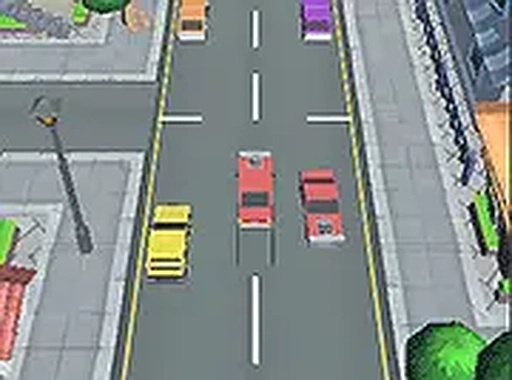
Parking Puzzle: Drive and Park is a straightforward puzzle game where players take control of a car and guide it into an empty parking spot. The goal is to park carefully without crashing into any of the other cars. With its easy drag-and-drop controls and bright 3D visuals, this game is designed for players of all ages who enjoy a relaxing yet engaging driving experience. You can play it for free directly in your browser, and the full-screen mode adds to the immersion. Each level presents a new layout with more obstacles, so the gameplay stays fresh and challenging. Whether you have a few minutes or want a longer session, Parking Puzzle offers a stress-free challenge that is easy to learn but requires precision to master.
How to Play
To play Parking Puzzle, use your mouse to click and drag your car toward the available parking spot. Release the mouse button to drop the car in place. Be careful not to hit other parked cars, or you will have to try again. The game works best on a desktop computer with a mouse. Each level becomes more difficult, with tighter spaces and more cars to avoid. The controls are intuitive, so you can start playing without reading instructions. As you progress, you will need to improve your precision and patience. The game gives immediate feedback, so you know right away if you succeed or need another attempt. It is a great way to practice hand-eye coordination while having fun.
Game Features
The game includes colorful 3D graphics that make the parking lot look realistic. The drag-and-drop controls are simple and responsive. It is completely free to play with no downloads required. Full-screen mode provides a more immersive experience. The game is family-friendly and suitable for all ages. Each level offers a new layout with increasing difficulty, keeping the gameplay fresh and engaging.
Tips for Success
To succeed in Parking Puzzle, take your time and plan your route before moving the car. Practice precision by making small, controlled movements rather than large sweeps. Pay attention to the space around other cars to avoid collisions. If you fail a level, try a different approach or angle. Patience is key—rushing often leads to mistakes. Regular practice will improve your spatial awareness and hand-eye coordination, making later levels easier.







Comments
Sign in to comment
You must be logged in before posting a review or rating.
No account? Create one
No comments yet. Be the first to comment!