
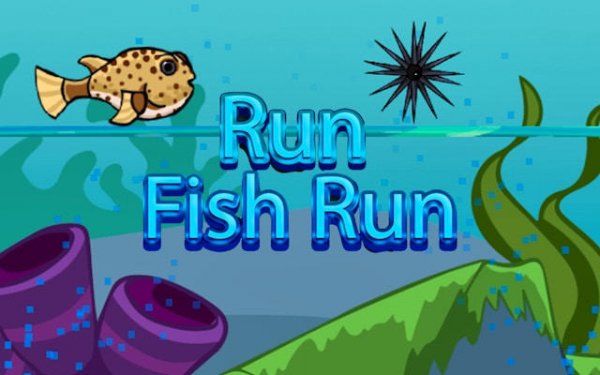
Ocean Swim: Endless Arcade Adventure
What players say
Ocean Swim offers a delightful underwater escape with vibrant graphics and smooth animations. The simple tap controls make it easy to pick up, while the gradually increasing speed keeps each run engaging. It's a great choice for casual players looking for a quick, stress-free game that rewards practice and focus.
About
Game Introduction
Ocean Swim: Endless Arcade Adventure is a free online game set in a vibrant underwater world. Players control a nimble fish swimming through an endless seascape filled with obstacles like seaweed, rocks, and other sea creatures. The main goal is to travel as far as possible without crashing. As the game progresses, the speed increases, testing reflexes and timing. Each run is unique, with randomized obstacles and collectible items that boost the score. The game is designed for quick play sessions, making it perfect for short breaks. With smooth animations and colorful graphics, every swim feels fresh and engaging. This game is ideal for players who enjoy simple yet challenging arcade experiences.
How to Play
Players control the fish by making it dive or rise. On a keyboard, pressing the up arrow makes the fish swim higher, and the down arrow makes it go lower. On a touchscreen, tapping the top half of the screen moves the fish up, and the bottom half moves it down. The objective is to avoid all obstacles by maneuvering around them. Collecting star-shaped items adds extra points. The game ends when the fish hits an obstacle. Players aim to beat their personal best distance each time they play. The controls are simple to learn, but the increasing speed requires focus and practice.
Game Features
Endless swimming with randomized obstacles for replayability. Simple one-touch or keyboard controls. Colorful underwater environments with smooth animations. Free to play with no mandatory in-app purchases. Quick play sessions ideal for short breaks. Score tracking to challenge personal records.
Tips for Success
Stay calm and focus on the path ahead rather than the score. Practice helps players learn obstacle patterns. Use short, precise taps to adjust the fish's position. Avoid overcorrecting, as this can lead to crashes. Taking breaks when frustrated helps maintain a fresh mind and improves reaction time. Consistent play naturally improves reflexes and distance.








Comments
Sign in to comment
You must be logged in before posting a review or rating.
No account? Create one
No comments yet. Be the first to comment!