Tauriel Typing School Quest

Tauriel Typing School Quest

Developer: Calm Rift Labs
Published: 2024-04-26
Updated: 2026-07-04
Skill , Typing , Educational

Review

Tauriel Typing School Quest makes learning to type enjoyable. The school setting and interactive elements keep players engaged, while the gradual difficulty increase ensures steady progress. The friendly guide and progress tracking are helpful for both beginners and those looking to improve their skills.

Faq

Is Tauriel Typing School Quest suitable for young children?
Yes, the game is designed for all ages. It uses simple words and letters, and the friendly guide Tauriel provides clear instructions. Parents can feel confident that the content is safe and educational.
Does the game require an internet connection to play?
Typically, typing games like this can be played offline once loaded. However, some features like progress tracking or updates may require an internet connection. Check the game's settings for specific details.
Can I play Tauriel Typing School Quest on a tablet or phone?
The game is designed for keyboard use, so it works best on a computer or laptop with a physical keyboard. Some tablets with external keyboards may also be compatible, but touchscreen typing is not supported.
How long does it take to complete the game?
The duration depends on the player's typing speed and how often they practice. The game includes multiple rooms and challenges, so it can provide several hours of engaging learning. There is no fixed end time.
Are there different difficulty levels in Tauriel Typing School Quest?
Yes, the game starts with simple letters and gradually introduces more complex words. This natural progression allows players to build skills at their own pace. Some versions may also include adjustable difficulty settings.
Does the game track my typing speed and accuracy over time?
Yes, progress tracking is a key feature. Players can monitor their speed and accuracy improvements as they complete challenges. This helps identify areas for further practice and motivates continued learning.

About This Game

Game Introduction

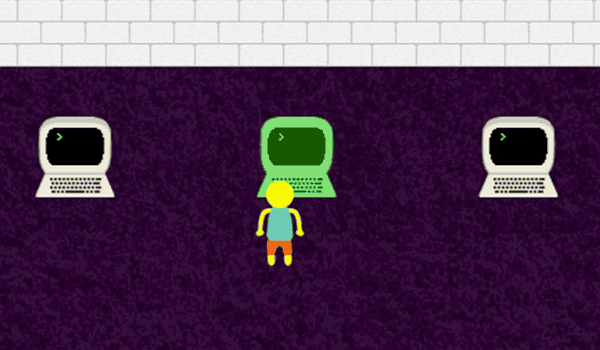
Tauriel Typing School Quest is a skill-based educational game that combines typing practice with an interactive adventure. Players join a friendly guide named Tauriel as they explore a school environment, complete typing challenges, and interact with various objects. Unlike traditional typing drills, this game adds elements of exploration and light obstacles to make learning engaging. It is designed for players of all ages who want to improve their typing speed and accuracy in a fun, family-friendly setting. The core objective is to type words or letters correctly to progress through different rooms and tests, all while maintaining a positive and encouraging atmosphere.

How to Play

Players use their keyboard to type words or letters that appear on the screen. Each challenge requires accurate typing to advance. The game may include obstacles that require quick and correct typing to avoid. Players explore different rooms within a school by completing typing tasks. Special prompts may appear for additional interactions, such as petting a dog by typing specific commands. The game typically starts with simple letters and gradually introduces more complex words. On-screen instructions from Tauriel guide players through each step. Progress is tracked, allowing players to see improvements over time. The controls are straightforward, making it accessible for beginners and experienced typists alike.

Game Features

This game offers a variety of features typical of educational typing games. It includes multiple typing challenges that increase in difficulty, encouraging steady skill development. The game may feature a school setting with different rooms to explore, each presenting unique tasks. Colorful and friendly graphics create a welcoming environment. Progress tracking helps players monitor their speed and accuracy improvements. Interactive elements, such as pet interactions, reward accurate typing. The game is designed to be intuitive and family-friendly, with no violent or inappropriate content. It focuses on building focus and quick thinking through engaging gameplay.

Tips for Success

To excel in Tauriel Typing School Quest, practice regularly to build muscle memory and increase typing speed. Focus on accuracy first, as correct typing is essential for progressing through challenges. Pay close attention to on-screen instructions and prompts to avoid missing interactive opportunities. Start with easier levels to warm up before tackling more complex word tests. Maintain a relaxed posture and keep your fingers on the home row for efficient typing. Use the progress tracking feature to identify areas for improvement. Consistency is key—short daily practice sessions are often more effective than long, infrequent ones. Stay patient and enjoy the learning journey.

✅ Compatibility & Testing

• Desktop (Windows 11, macOS Ventura)
• Mobile (iPhone 14, Samsung Galaxy S23)
• Tablet (iPad Pro, Android tablet)
✅Supported browsers: Chrome, Safari, Edge, Firefox (latest versions)
❌ Not supported: Internet Explorer, older browser versions

Comments

0 comments
U
User
Loading comments...