
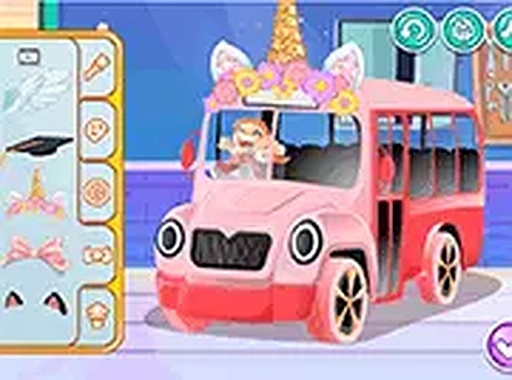
Custom Bus Design Studio
What players say
This browser-based activity stands out for its simplicity and freedom. The color palette is generous, and the sticker library offers enough variety to keep projects fresh. I especially appreciated the adjustable brush size, which allows for both broad strokes and fine details. The lack of timers or scores makes it a genuinely stress-free experience. While it lacks advanced features like layers or undo history, its charm lies in being a no-pressure canvas. Ideal for parents looking for a quiet activity or for anyone who enjoys casual digital art.
About
Getting Started with Your Canvas
Upon opening the tool, users are greeted by a clean interface centered around a bus outline. The first step involves selecting a base color from the palette. This initial choice sets the tone for the entire project. Players can apply color broadly with a large brush or switch to a finer tip for detailed work on panels and windows. The responsive controls make it easy to experiment without any pressure.
Color Mixing and Application
The color palette offers a broad spectrum, from soft pastels to vivid tones. Unlike many simple coloring apps, this tool allows for layered painting. Users can paint over dried sections to create gradients or patterns. The brush size adjusts with a simple slider, giving control over coverage. This flexibility encourages trying different combinations, such as a bright yellow body with contrasting stripes.
Adding Personality with Stickers
Once the paint is dry, the real fun begins. A library of stickers and decorative elements is available to place anywhere on the bus. Options include stars, animals, geometric shapes, and seasonal icons. Each sticker can be resized and rotated to fit the design perfectly. Placing a row of stars along the side or a large sun on the roof adds character. The drag-and-drop system is intuitive, making it simple for younger users to participate.
Sharing Your Finished Design
After completing a design, the game provides a straightforward way to capture the result. A screenshot button saves the current view to your device. This image can then be shared with family or posted on social media. Because no account is required, the process remains private and hassle-free. The design can also be reset at any time, allowing for unlimited new projects.
Device Compatibility and Accessibility
This activity runs smoothly on both desktop computers and mobile devices. The touch screen optimization means that tapping and dragging on a tablet feels natural. A full-screen mode removes distractions, letting users focus on their artwork. There are no downloads or plugins to install, so the game loads quickly in any modern browser. This makes it an excellent choice for quick creative breaks at home or in a classroom setting.



Comments
Sign in to comment
You must be logged in before posting a review or rating.
No account? Create one
No comments yet. Be the first to comment!